Android VPN with strict no-data policy and global server access
Route mobile traffic through an encrypted tunnel and mask your IP with OceanPortVPN, offering one-tap connections and global server locations. CLO ROTHSCHIL supplies this Android utility to protect sessions on public Wi‑Fi and to access region-restricted content. The app highlights verified data safety practices and a user data deletion option, aimed at Android users who want straightforward privacy without deep configuration or added account setup.
What the tool does and how it fits common privacy needs
OceanPort encrypts traffic and substitutes the device IP to present a different virtual location, with servers in North America, Europe, and Asia. The app targets two routines: protecting sessions on unsecured networks and changing apparent location for content access. It operates on Android devices and exposes controls for selecting a server region and initiating a secure tunnel from the main interface.
How it behaves while running and system impact
During active use, the app routes traffic through an encrypted tunnel rather than acting as a local proxy, so network activity crosses the VPN connection. The source notes that encryption happens in transit, and the design implies normal mobile operation without extra peripheral services. The app's one-tap connection suggests short startup sequences and minimal background configuration, which keeps the interaction compact on typical Android hardware.
Safety, privacy declarations, and data handling
The developer declares a strict no-data-collected policy, and the Google Play data safety section verifies that claim. In addition, the app offers a mechanism for users to request deletion of any associated data. Encryption of in-transit data and explicit non-sharing with third parties are stated safeguards, which address common threats on public networks and third-party tracking at the network layer.
Interface, required knowledge, and accessibility for non-technical users
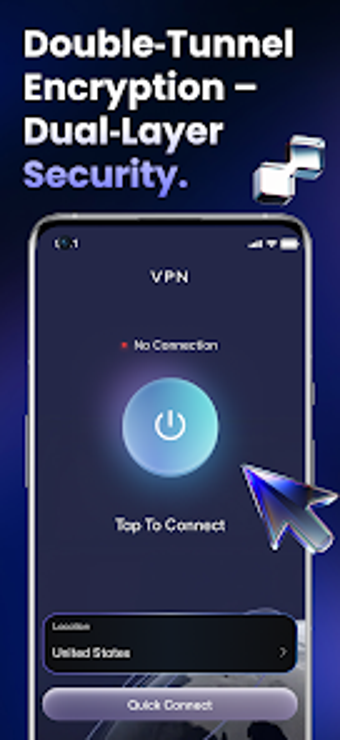
The interface centres on a one-tap connection flow, reducing configuration steps for basic use. That layout fits users who want a quick secure session without learning protocol details. Advanced options or manual protocol selection are not emphasised in the material, so those who need granular control over tunnelling protocols or split tunnelling should check the app directly before relying on it for specialized workflows.
Practical judgment: suitable for privacy-focused Android users with a simple workflow need
OceanPort serves Android users who prioritise verified privacy practices and quick secure connections, thanks to its no-data-collection stance and server coverage across major regions. The single drawback is the intentionally simplified configuration model, which may disappoint users who require advanced protocol choice or fine-grained routing controls. For straightforward mobile privacy and region switching, it performs as a focused option.